
September '26 Release Notes
Pickup Timing Report
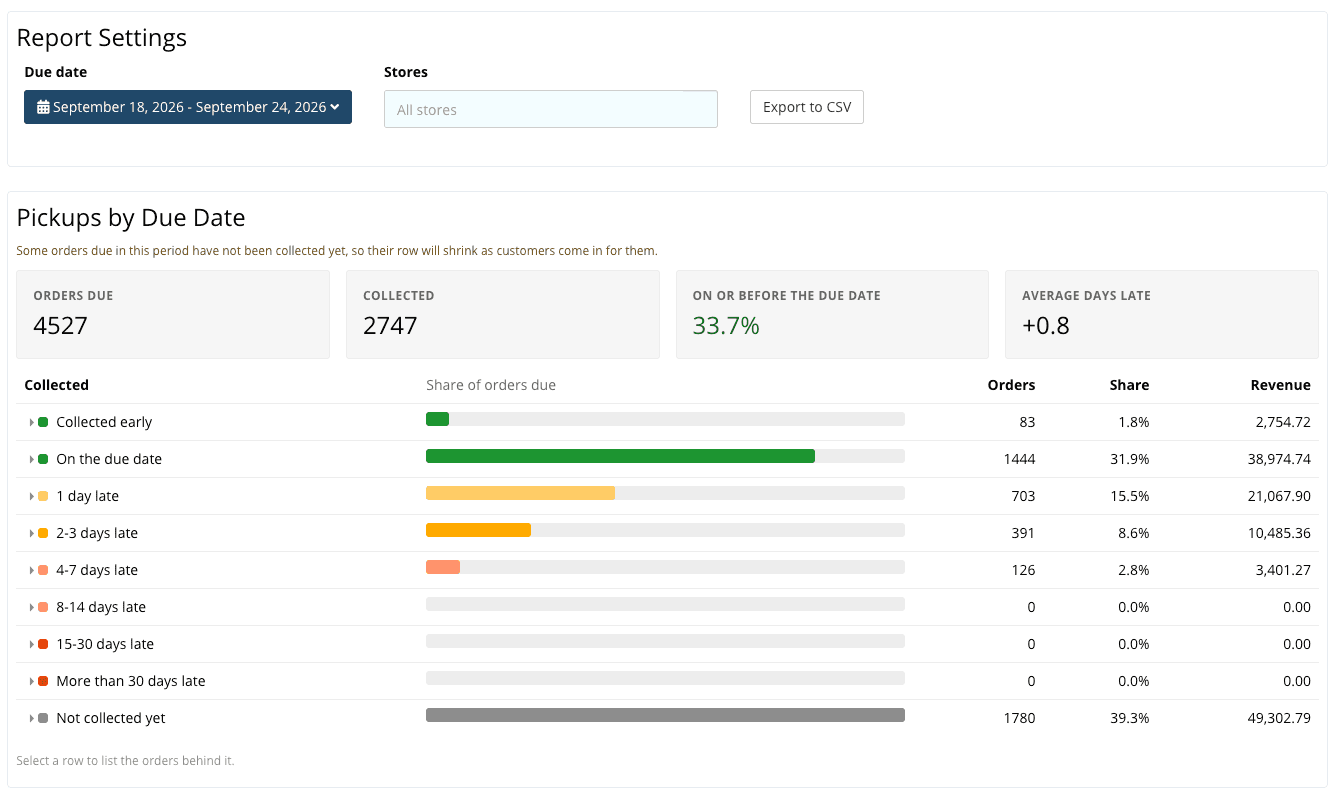
The report compares store pickups with their promised due dates, grouping orders as early, on time, late, or still uncollected. It shows counts, revenue, the share collected by the due date, and average days late. Staff can filter by store and date, inspect the underlying orders, and export to CSV. Route deliveries are excluded so the results reflect customer pickups.
Access it from Reports → Customers → Pickup Timing
Counter Traffic Report
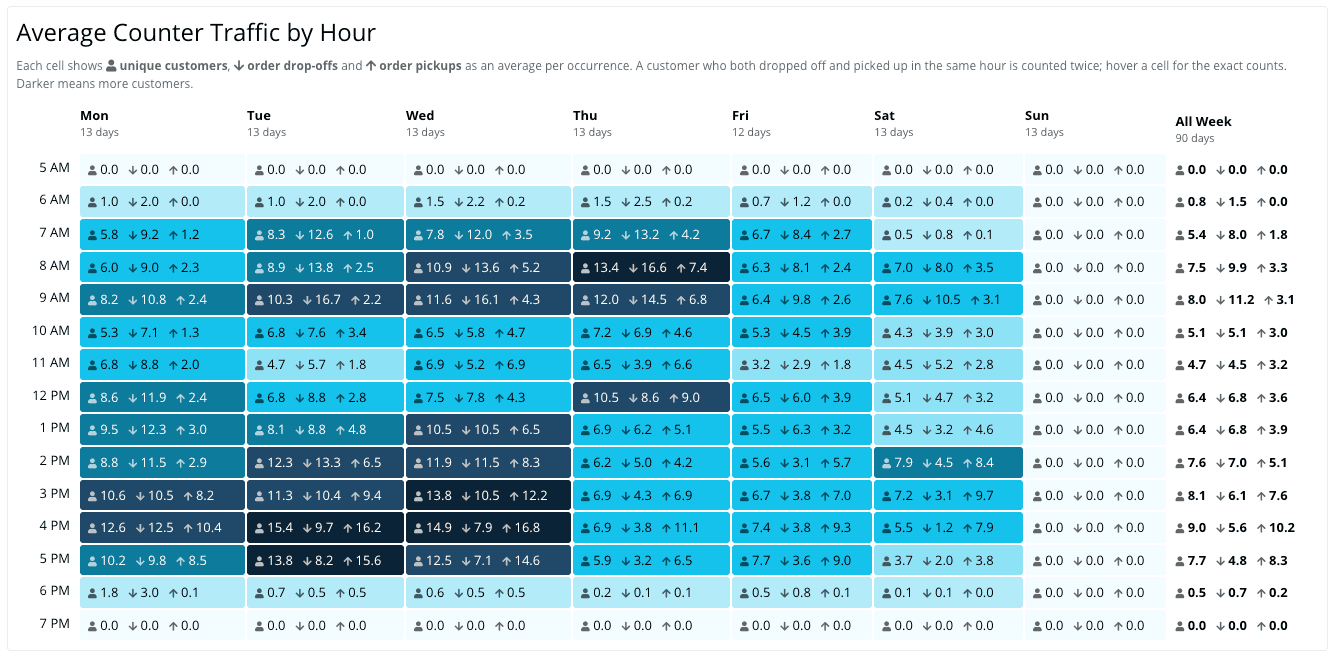
Counter Activity by Hour: The report gives stores an hourly view of counter activity to help identify slow and busy periods.
POS and Order Workflows
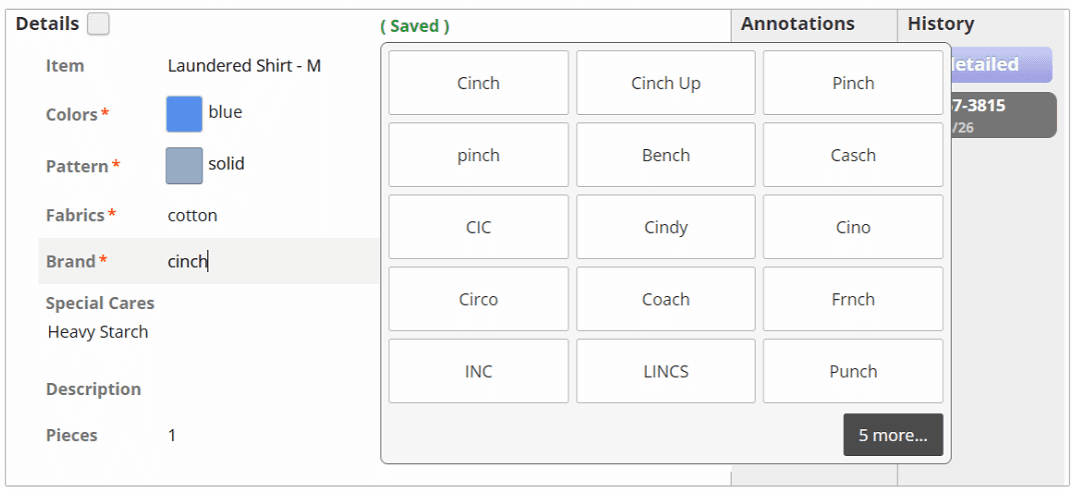
Required item fields during detailing:
Staff see required fields while detailing an item, before closing the order.
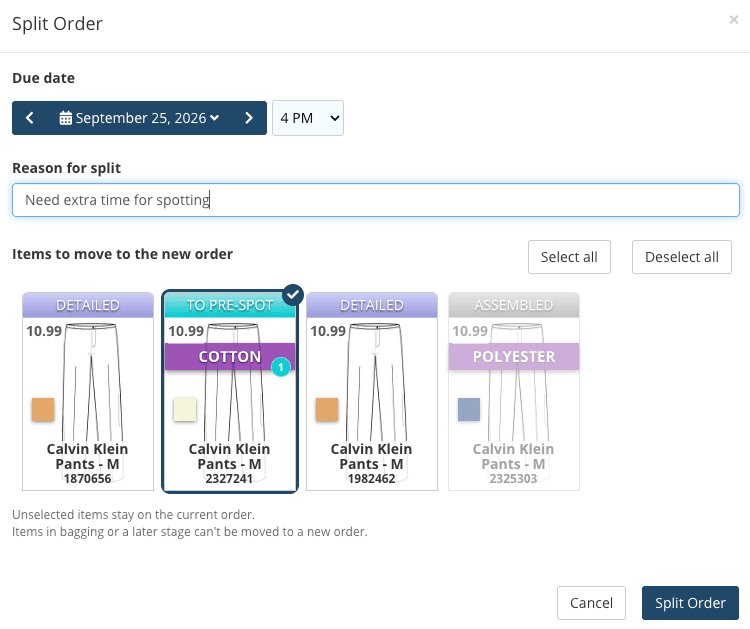
More control when splitting tickets:
Staff can select a split reason and choose which items move to the new ticket.
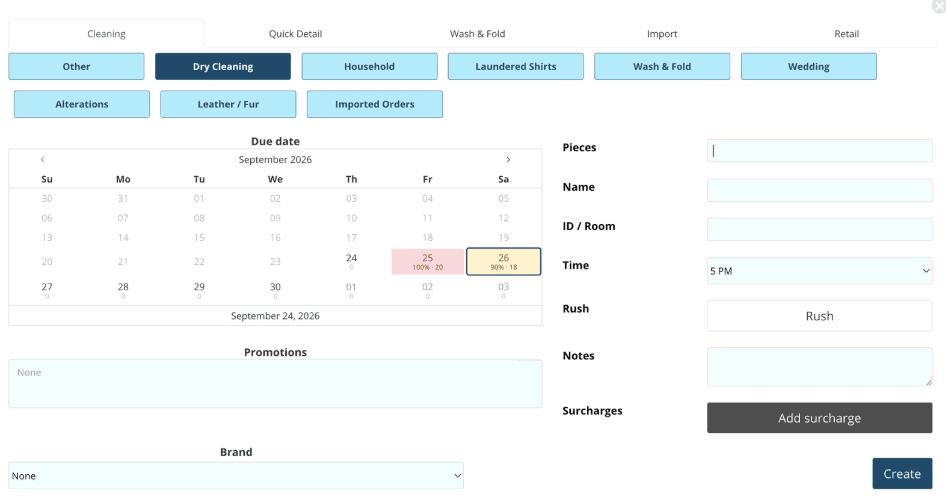
Due date capacity by department:
Capacity information helps staff select production due dates that match the shop's workload.
Drop-ticket printing:
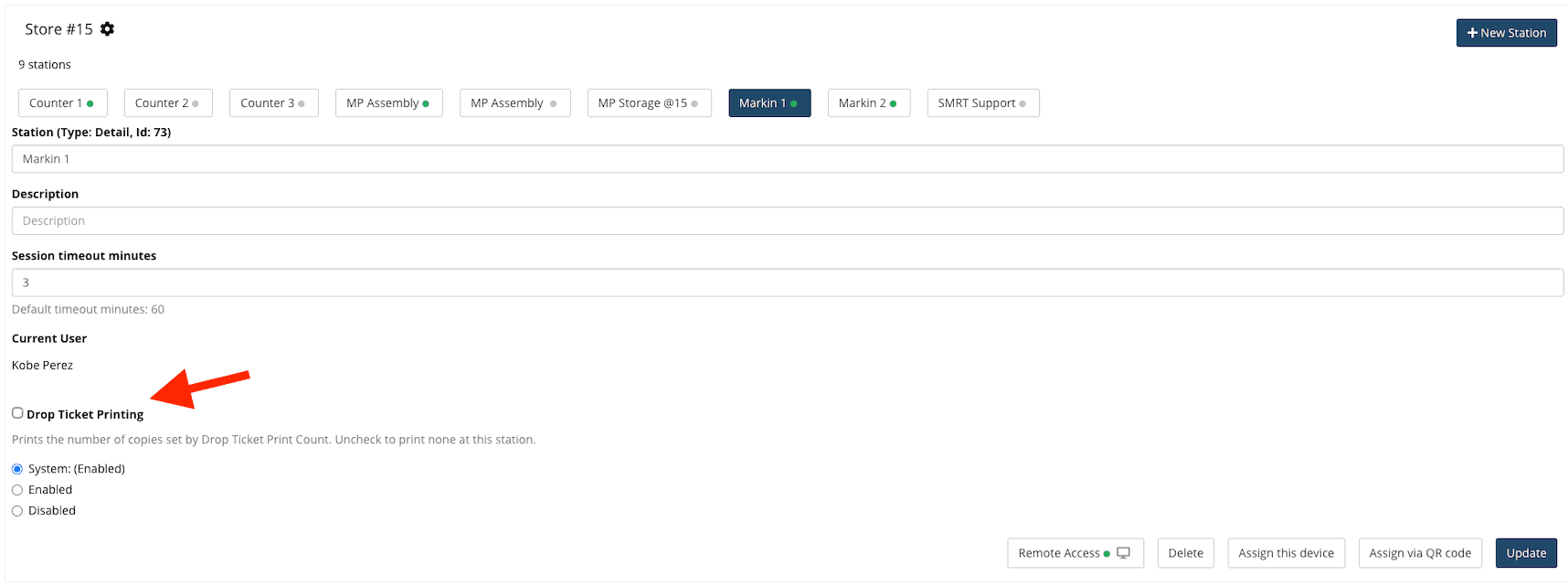
A station setting lets stores disable drop-ticket printing. Stop drop tickets from printing at detailing stations where you know you never need a drop ticket.
Route days on assembly tickets:
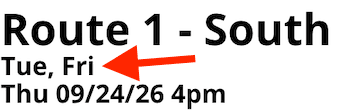
Prints customer’s selected route days on the tickets / invoices. Settings → Business Settings → System Settings → Receipt Settings → Show Route Days on Assembly Tickets
MP Storage conveyor overview:
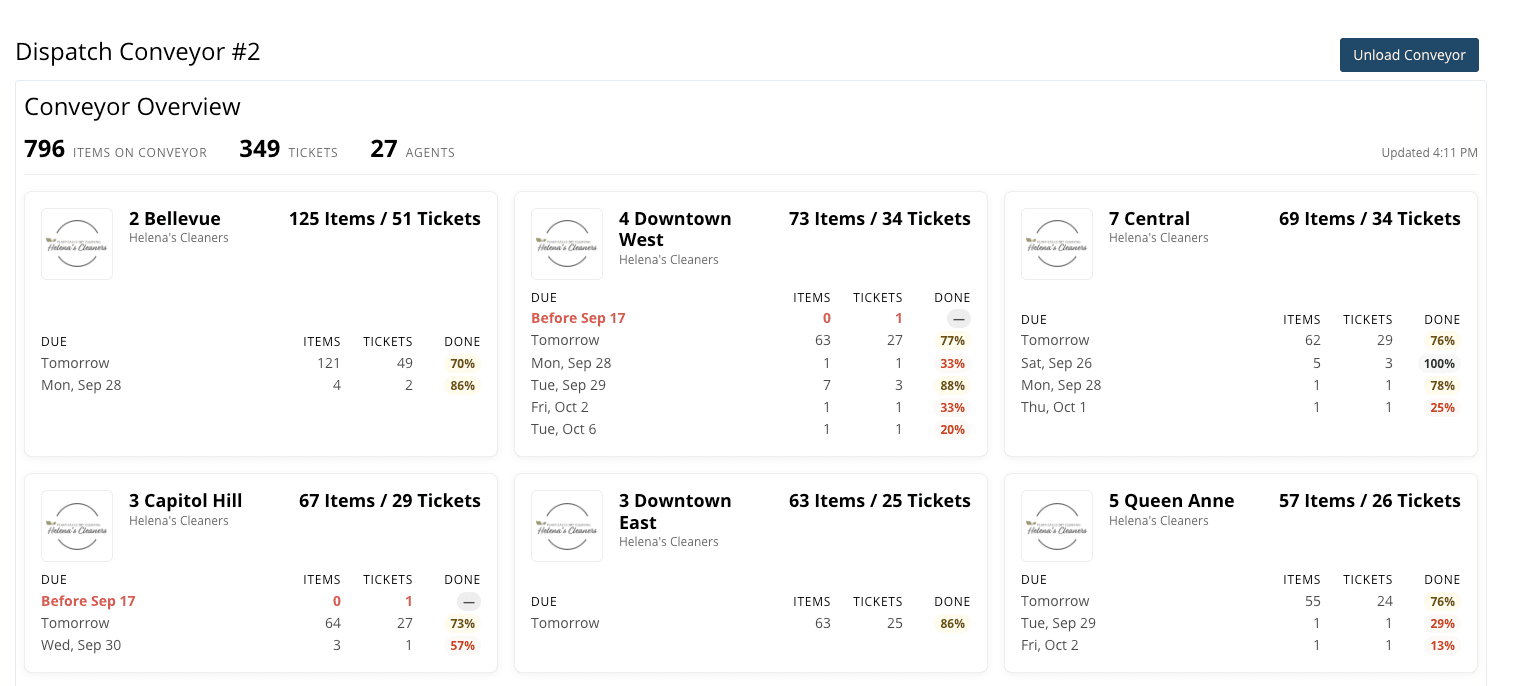
The conveyor dashboard breaks down items by agent and brand and shows due dates and completion percentages, giving staff a clearer view.
Lot Manager selection:
All Stores and All Routes options reduce repetitive agent selection; deleted agents no longer appear as choices.
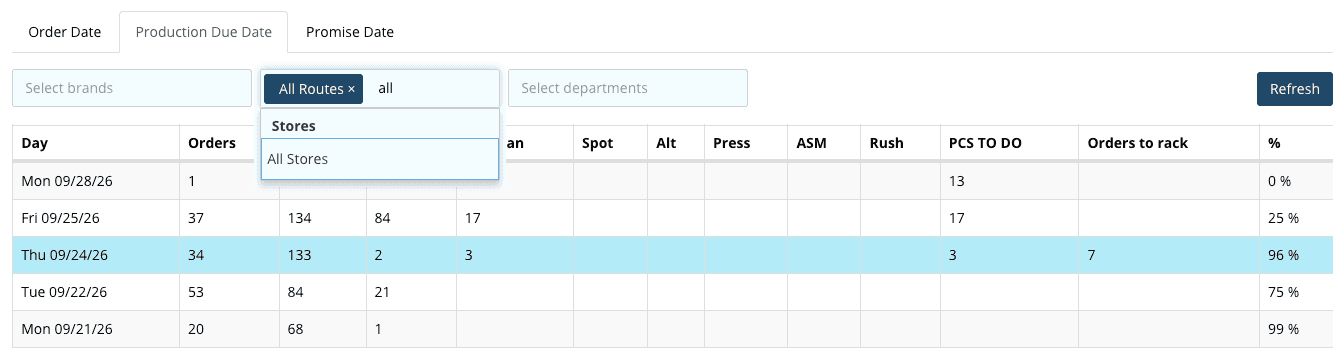
Lot Manager header:
Column headings remain visible while scrolling through the report.
Customer Experience, Delivery, and Administration
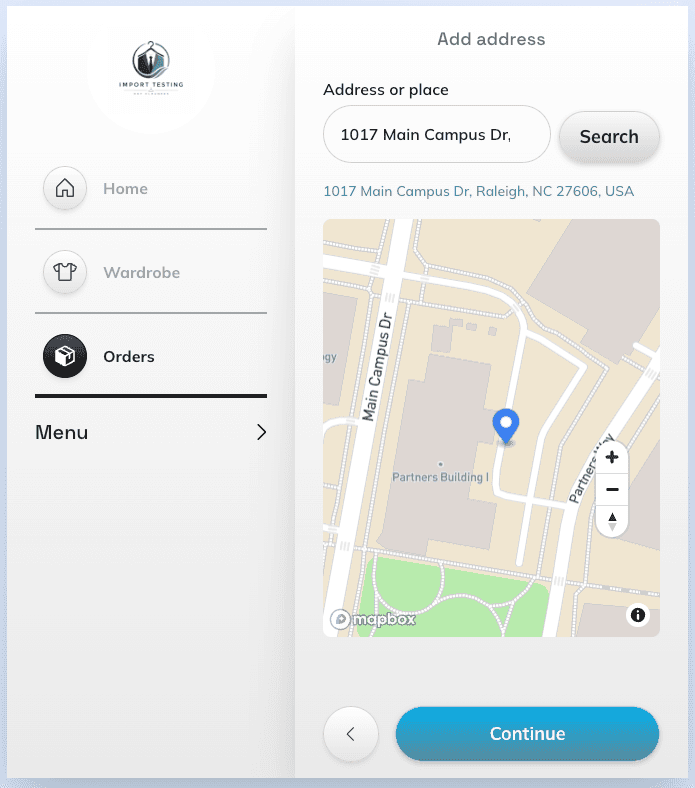
Map pin for addresses:
Customers can choose an address location on a map, including in website address forms; staff can adjust the location from the POS. This let’s customers indicate where the driver should pickup and deliver to when they have an entrance, like a loading dock, that doesn’t match the address on a map.
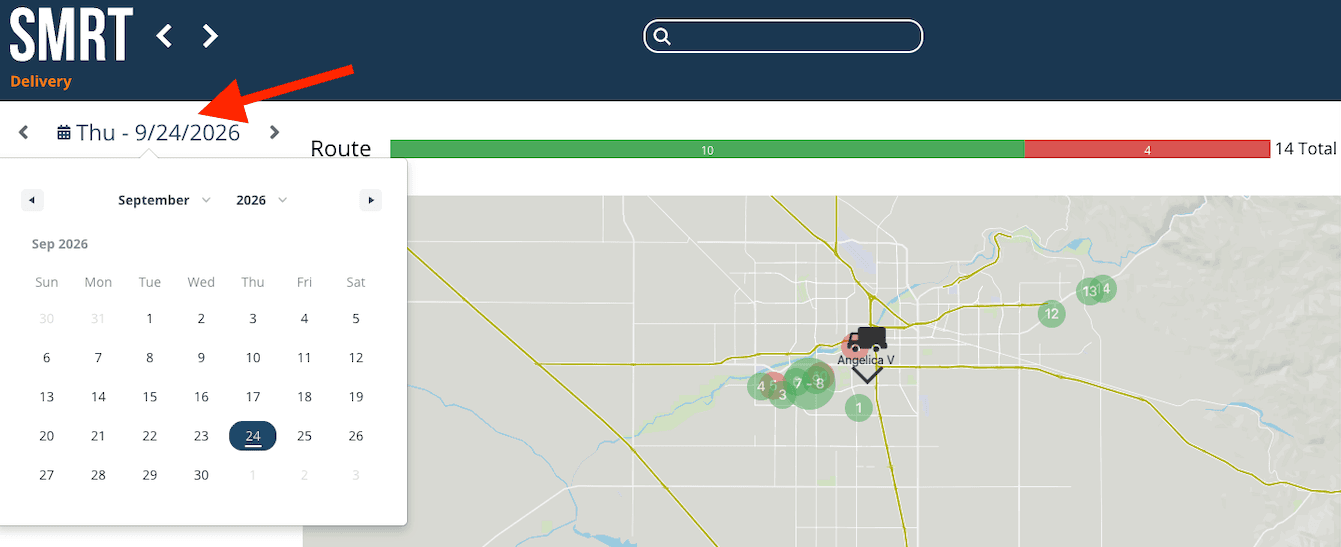
Route date selection:
A calendar opens when selecting a route date. Navigate to past route days much faster.
Customer app policies:
Existing customers can view the Terms of Service and Privacy Policy in the app.
SMRT Replay:
Our support staff can now replay videos of all your usage of SMRT. This allows our support to investigate exactly what happened and provide even better support.
Franchise Report Restriction
Report access: A setting restricts report data according to the stores or brands an employee is associated with. Designed for franchises who want to restrict what data franchisees within the same instances can see.
Payments, Billing, and Accounting
Statement numbering: Statements use their own STMT- numbering series, and the billing documents report separates an optional reference from the invoice number.
Open Invoices and Statement of Accounts numbering: These documents receive separate OI- and SOA- numbering series.
Subscription renewals: Renewal charging is handled automatically for subscriptions with eligible payment methods.